Exporting from Unity
All you need for PortalVR to work is to export a OpenXR build from Unity, and the APK should run.
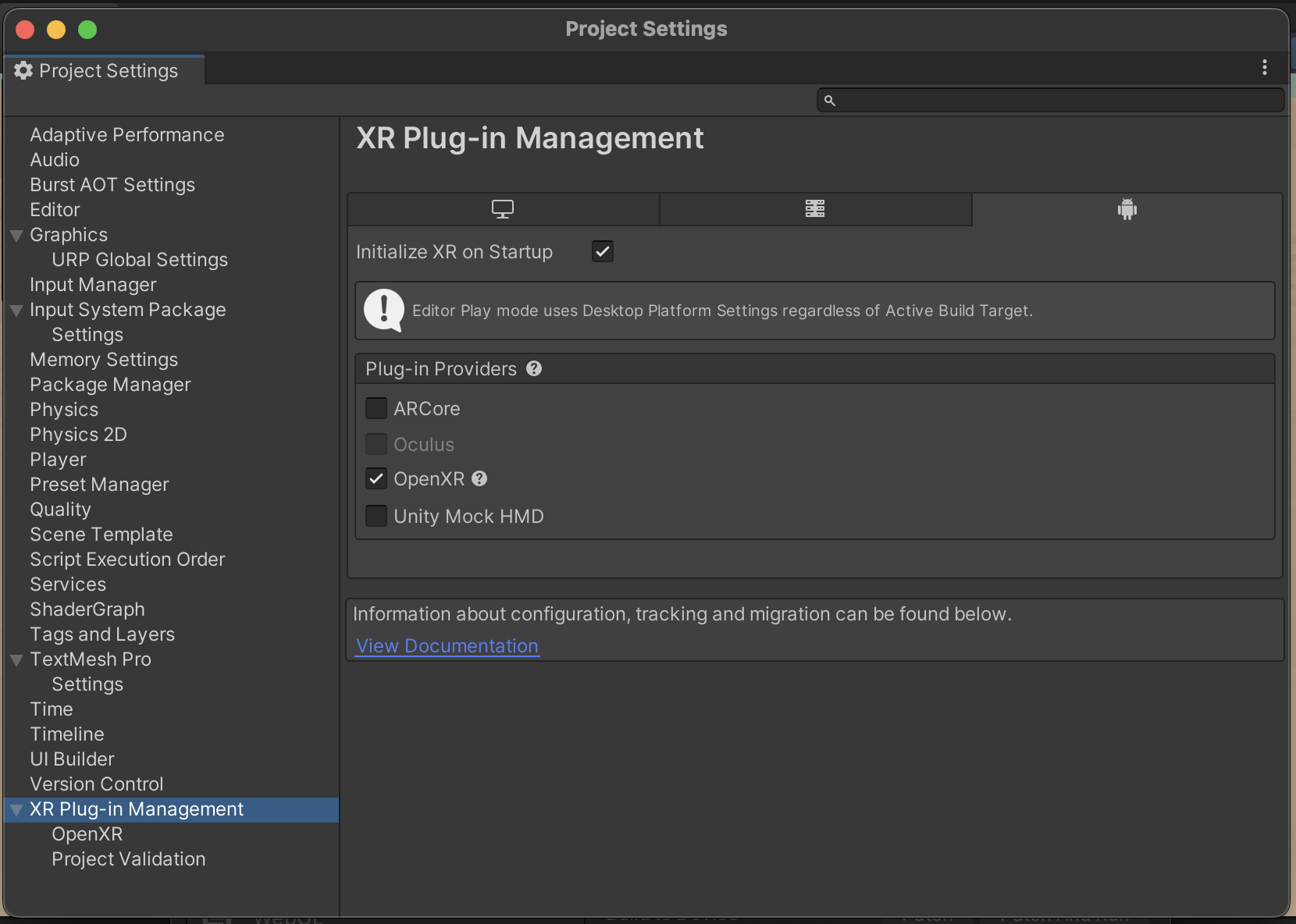
First, in Project Settings -> XR Plug-in Management, ensure that OpenXR is enabled for Android, and ensure Oculus is disabled:
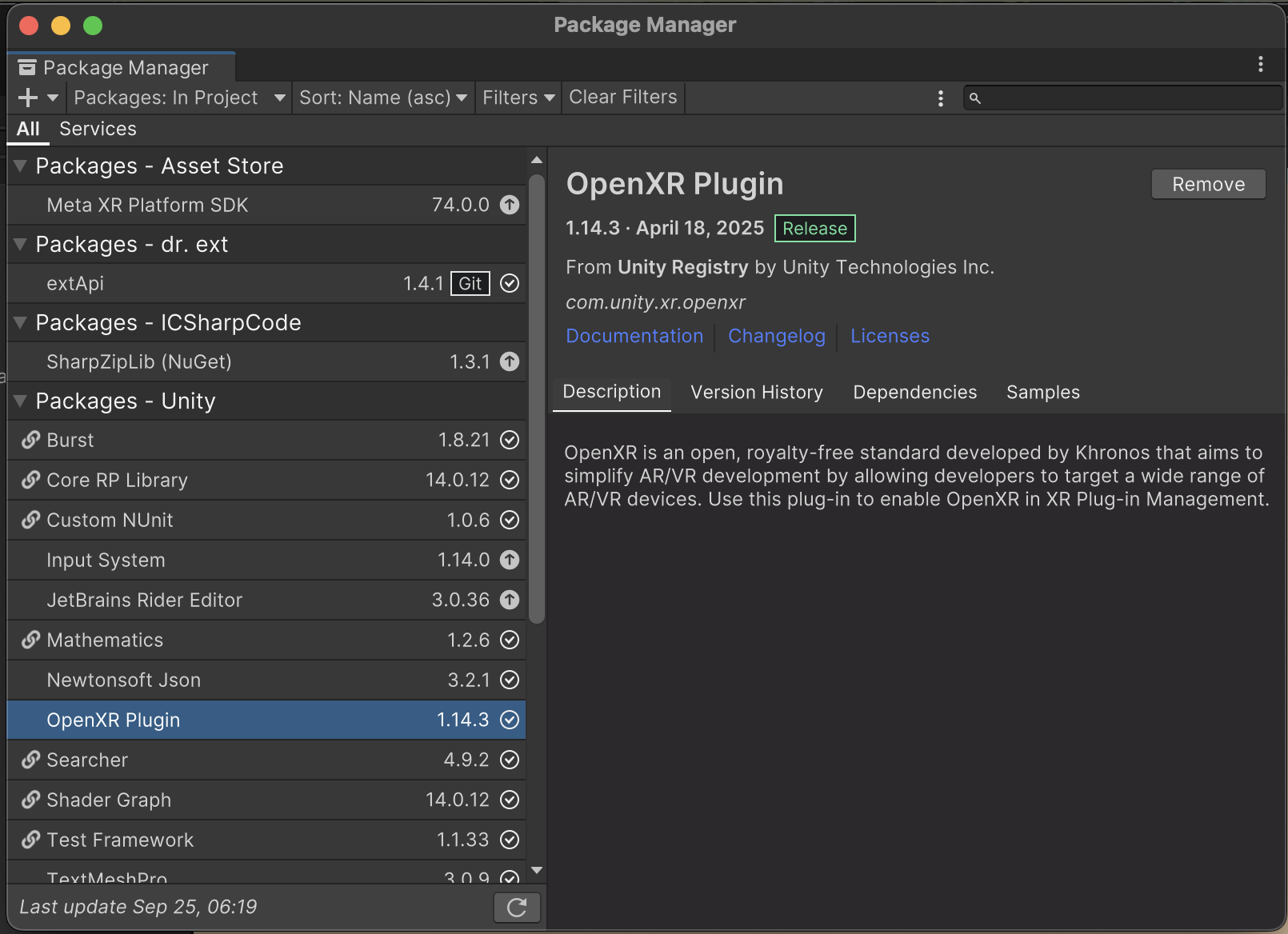
It's also a good idea to make sure the OpenXR Plugin is up-to-date. Go to Window -> Package Manager, and select OpenXR Plugin from the list. If there's an update available, you should see an Update button.
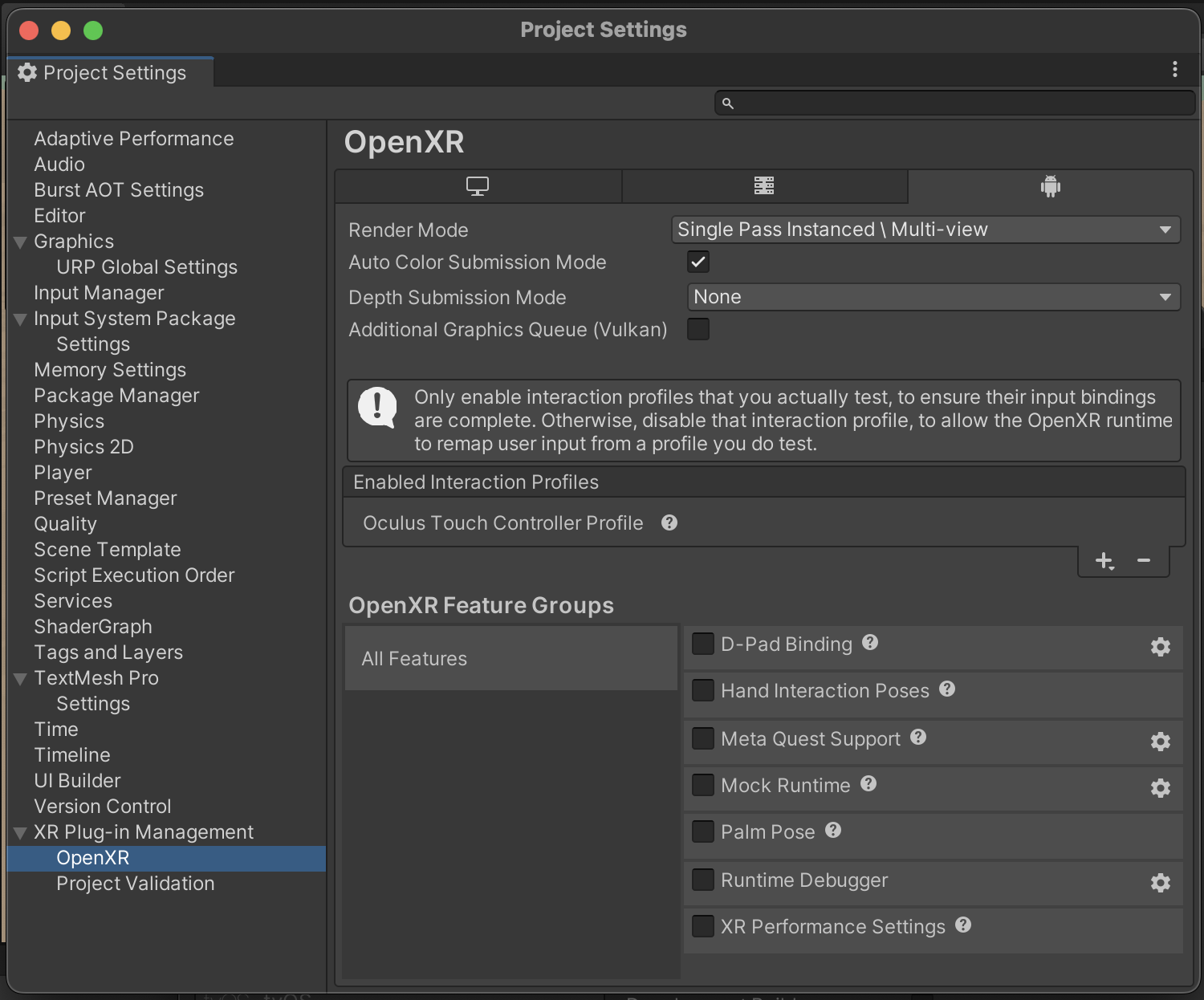
Next, open up the OpenXR settings and ensure you are using Single Pass Instanced \ Multi-view, and no depth submission, the Oculus Touch Controller profile, and turn off all Feature groups, especially any Feature groups that involve Meta XR.
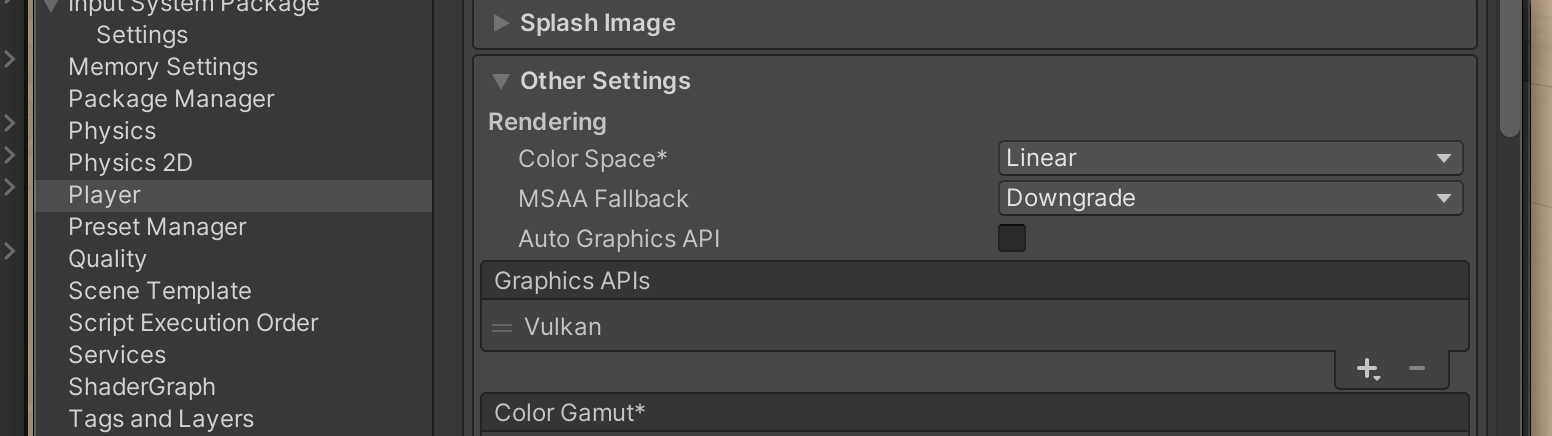
For the best performance and compatibility, you should ensure Unity uses the Vulkan graphics API, which you can set in Project Settings -> Player -> Other Settings -> Graphics APIs for Android. Turn off Auto Graphics API, and make sure Vulkan is at the top of the list, and remove OpenGLES3 if it's there.
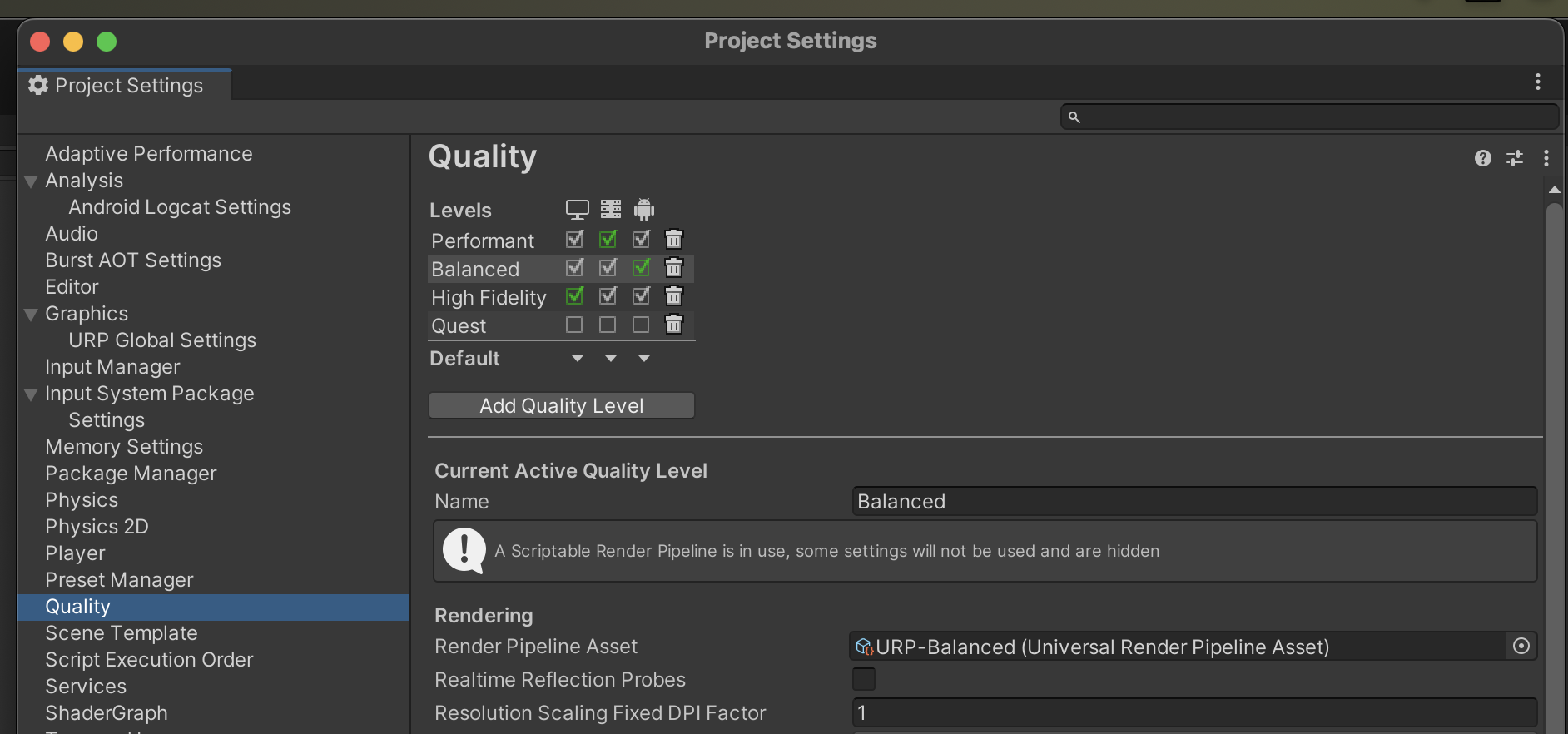
It's also recommended that in Project Settings -> Quality, you select the Balanced quality level using the stock URP-Balanced Render Pipeline asset, setting it to the default for Android, and remove any custom URP pipelines you may have tuned for VR headsets, as these can sometimes run into compatibility issues on arbitrary Android devices.
Finally, you should ensure the Default Orientation is Landscape Left in Player -> Resolution and Presentation:

With these settings, you should be able to build and run an APK on any Android device that has PortalVR installed! Please contact support if you run into any issues.